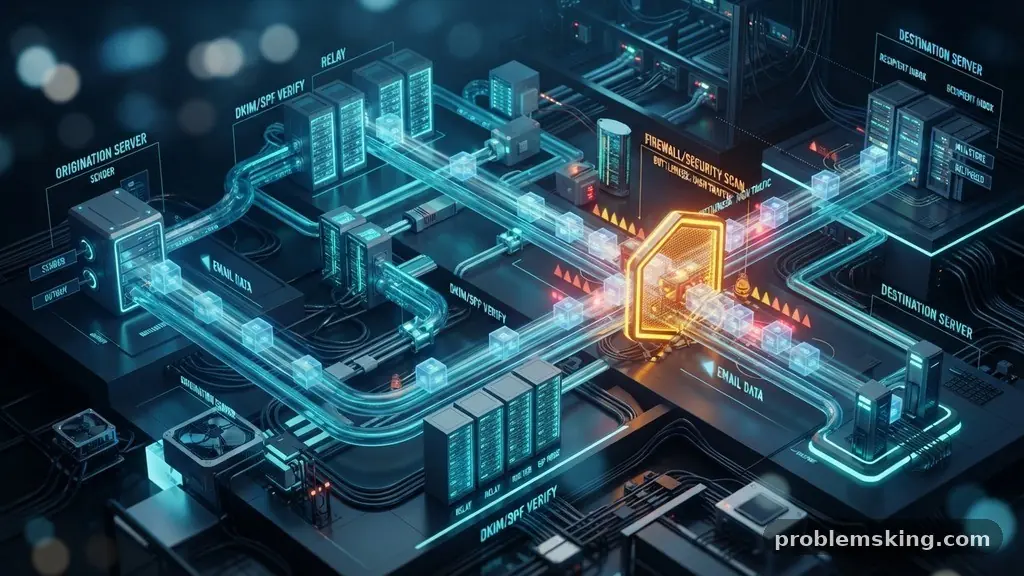
Waiting for an account recovery link can be incredibly frustrating, especially when you are locked out of a service you need right away. It is common to wonder why password reset emails arrive much later than expected, leaving you staring at an empty inbox while the clock ticks. This delay often results from complex background processes that ensure your security, even if the user experience feels broken.
By understanding how these automated messages navigate the internet, you can better manage your expectations and troubleshoot potential issues. We will examine the technical hurdles, security protocols, and server-side configurations that dictate the speed of your authentication emails.
The Mechanics of Email Delivery Pipelines
When you click the “forgot password” button, you are initiating a complex sequence of events that stretches across the internet. Your request hits the service provider’s web server, which then triggers a call to their transactional email service provider.
This third-party platform acts as the engine that actually generates and sends the message to your inbox. The email delivery pipeline is not a direct line; it is a series of handshakes and verification steps designed to keep malicious actors at bay.
These pipelines often experience message queue congestion when high traffic occurs across the platform. If thousands of other users are resetting their passwords simultaneously, your specific request might sit in a queue for several seconds or even minutes.
While most modern systems prioritize authentication emails, they still compete for resources with marketing newsletters and system notifications. This competition for bandwidth is a primary reason why you might experience a noticeable lag in receiving your security link.
Authentication Protocols and Security Overhead
Modern email infrastructure relies on rigid security standards to prevent phishing and spoofing. Before your email provider accepts a message, it verifies the sender’s identity using SPF records, DKIM signatures, and a DMARC policy.
These protocols ensure that the email truly originated from the service you requested. While these checks are essential for your protection, they add milliseconds of processing time at every relay point.
The mail transfer agent at your receiving end must perform these cryptographic lookups to confirm the sender’s domain authority. If the sender’s infrastructure is misconfigured or if their IP reputation has fluctuated, the receiving server might hold the email for extra inspection.
This is not necessarily a failure; it is a security feature designed to keep your account safe from unauthorized access attempts. The trade-off for this enhanced security is often a slight delay in the arrival of time-sensitive communications.
The Impact of Greylisting on Delivery
Greylisting is a common technique used by email providers to filter out spam and automated bots. When an unknown server attempts to send an email to your address, the receiving server temporarily rejects it with a specific error code.
This tells the sending server to try again after a set period, usually a few minutes. Legitimate mail servers are designed to handle these retries automatically, while many spam bots simply give up.
If your password reset email arrives much later than expected, it may have been caught in a greylist cycle. This process effectively separates legitimate, persistent senders from one-off malicious scripts.
Although it adds a forced delay to the delivery, it is highly effective at stopping junk mail from clogging your inbox. You can verify if this is happening by checking if other emails from the same service consistently arrive with similar delays.
Spam Filter Triggers and False Positives
Sometimes, the content or the frequency of password reset requests can trigger aggressive spam filters. If you have requested multiple resets in a short window, the service provider’s system might flag your activity as suspicious.
This can lead to the email being diverted to your junk or promotions folder, or in some cases, delayed while the system performs a deeper analysis. Automated systems look for patterns, and rapid-fire requests often look like an attempt to brute-force an account.
You should always check your spam or junk folder if you notice a delay in receiving a reset link. Occasionally, an email provider’s algorithm will misclassify a legitimate transactional email as spam because of its automated nature.
Adjusting your email settings to whitelist the sender’s domain can help prevent these false positives in the future. If you find the email in your spam folder, marking it as “not spam” helps train your provider to deliver these messages to your primary inbox.
SMTP Server Latency and Infrastructure Load
SMTP server latency is a technical factor that influences the speed of communication between mail servers. These servers are constantly talking to each other, passing data packets back and forth across the globe.
If the network path between the sender’s data center and your provider is congested, the data transfer will be sluggish. This is analogous to traffic on a highway; even if the cars are moving, the sheer volume can slow everyone down.
Large companies often use global distribution networks to minimize this latency, but they cannot control every hop along the way. If your local internet service provider is experiencing issues or high latency, the handoff between their mail server and your device might be delayed.
This is rarely the fault of the website you are trying to log into. Instead, it is a byproduct of the distributed nature of the internet’s infrastructure.
Comparing Common Delay Factors
Understanding why these delays happen requires looking at the different components of the delivery process. The following table illustrates the most frequent causes and how they influence the time it takes for a message to reach you.
| Factor | Impact on Speed | Common Result |
|---|---|---|
| Message Queue Congestion | High | Delays of 1-5 minutes |
| Greylisting | Very High | Delays of 5-15 minutes |
| Spam Filter Trigger | Moderate | Email sent to Junk/Spam folder |
| Network Latency | Low | Delays of a few seconds |
Managing API Rate Limiting
Most web services use APIs to handle user requests, including password resets. These APIs are governed by rate limiting, which restricts how many requests a single user or IP address can make in a given timeframe.
If you accidentally trigger these limits by clicking the “resend” button repeatedly, you might be temporarily throttled. This causes the system to queue your requests or even reject them entirely, creating a significant delay.
It is best to wait at least five minutes before requesting another reset email if the first one has not arrived. Patience is often the best strategy when dealing with automated systems.
If you keep hitting the button, you are essentially adding more noise to the system, which can complicate the delivery of your original, valid request. Most platforms have a clear policy on this, which you can read more about on official security guidance pages regarding user authentication.
Steps to Take When Waiting
When you find yourself waiting for a password reset email, there are several practical steps you can take to expedite the process or confirm it is on its way. Do not panic and assume your account is compromised; in most cases, it is simply a minor technical hiccup.
- Check your spam, junk, and promotional folders thoroughly.
- Ensure your internet connection is stable and syncing correctly.
- Wait at least five minutes before requesting a new link.
- Verify that you entered the correct email address associated with the account.
- Check if your email provider is experiencing a known outage.
- Add the service’s “no-reply” address to your contact list to ensure delivery.
Frequently Asked Questions
Is it normal for a reset email to take an hour?
While some delay is common, an hour is usually a sign of a significant issue. If it has been more than 30 minutes, it is likely that the email is being blocked by a filter or the service provider is experiencing a major outage.
Should I keep clicking “resend” if I don’t get the email?
No, you should avoid clicking the resend button repeatedly. Doing so can cause you to be rate-limited or flagged as a potential bot, which will only increase the delay or cause your request to be ignored entirely.
Why do some emails arrive instantly while others take minutes?
The speed depends on the current traffic load on the sender’s servers and the path the email takes through the internet. Different days and times of day have varying levels of network congestion, which directly affects delivery speed.
Can my email provider block these messages without telling me?
Yes, your provider might silently block or flag emails if they perceive them as spam or if the sender’s reputation is low. This is why checking your spam folder and whitelisting the sender’s address are important steps.
What if I never receive the email at all?
If you have waited a reasonable amount of time and checked all folders, the issue might be on the service provider’s side. You should reach out to their customer support team through an alternative channel to verify your account status.
Conclusion
Understanding why password reset emails arrive much later than expected can help you stay calm during a lock-out. While the process involves a complex web of authentication protocols, queue management, and spam filters, the system is designed to prioritize your account security above all else. Most delays are temporary and resolve themselves without further intervention on your part.
By waiting patiently, checking your junk folders, and avoiding the urge to spam the “resend” button, you ensure that your credentials remain safe while the delivery pipeline completes its work. If you encounter persistent issues, reaching out to support is always the best path forward to regain access to your account.